

Learning how to use SmartX takes about ten minutes. SmartX is an independent AI trading terminal for prediction markets, and it puts wallet tracking, live charts, order books, and a market radar next to the order box at a flat 0.5% fee. This guide walks a first-time user through connecting, reading the terminal, using the smart-money tracker as research, placing a trade, and managing a position.

SmartX
What SmartX is before you start
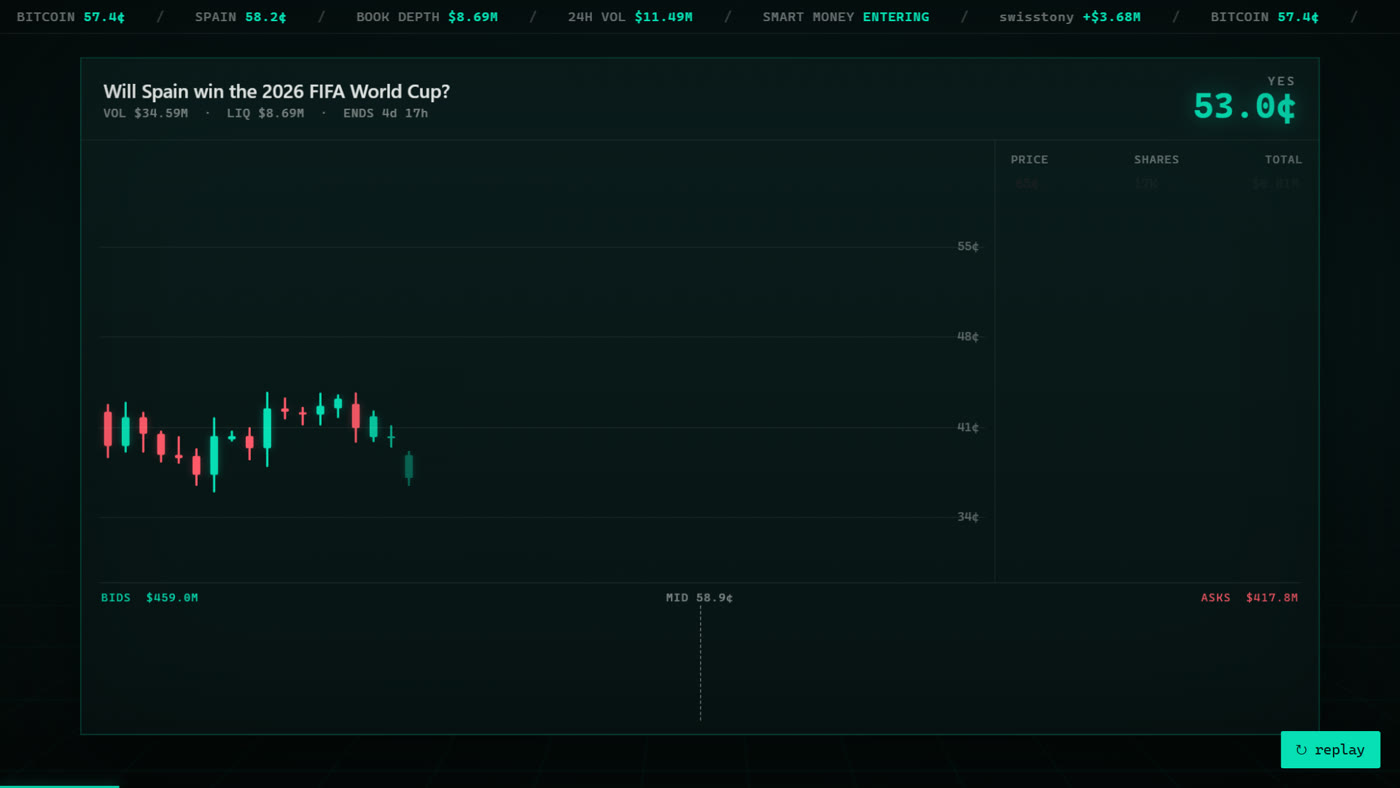
SmartX is a standalone AI trading terminal, not a plain betting page. Its whole reason to exist is its own tooling. It ranks traders by realized profit and loss and win rate, streams their live trades so you can study proven wallets, and brings multiple venues together in one screen with live charts, order books, and a market radar that shows where attention is building. You place trades from the same window where you do your reading.
Two facts shape how you use it. First, it charges a flat 0.5% per trade, which keeps costs simple. Second, it is open to global users under the Global+ label. It is also newer than the largest venues, so it has a shorter track record than something like Polymarket or Kalshi. That is worth knowing going in, and it is why the smart-money tools are best treated as research rather than instructions. Nothing here is financial advice.
Step 1: Getting started and connecting
SmartX runs in the browser and is available to global users, so the first step is simply to open the app. From there you connect a wallet. You fund your SmartX account with USDC through the deposit flow in the app, and trade from that balance.
The flow is short:
- Open the terminal and choose to connect a wallet.
- Approve the connection request in your wallet. This links your address so the terminal can show your balance and route your trades.
- Make sure your account balance covers the trade you plan to make.
Your SmartX balance is what you trade from, and you can withdraw through the app when you are done. Take a minute to get comfortable before you commit anything. Open a couple of markets, scroll the charts, and look at the leaderboard. You can learn the layout with no money at risk.
Step 2: Finding a market
Once you are connected, you need a market to look at. There are two natural ways in. The first is search: if you already have a question in mind, type it and open the market directly. The second is the market radar, which is the more interesting path for a beginner.
The market radar highlights markets that are moving. It surfaces fast price changes, open interest building up, and smart money entering a market. The idea is to show you where attention is going before a market is old news. Treat the radar as a shortlist to research, not an instruction to act. When something on the radar catches your eye, open it and start reading rather than trading right away.
Prediction markets cover politics, crypto prices, sports, economics, and culture, so browse by category if you are not sure where to begin. Pick a topic you actually understand. Your own knowledge of a subject is the part of the research that no tool can replace.
Step 3: Reading the terminal
This is the step that trips up most newcomers, so it is worth slowing down. A prediction market pays out based on a yes or no outcome, and prices are quoted in cents from 0 to 100. A price is just the market's current view of how likely the outcome is.
Here is the plain version. If Yes is trading at 62 cents, the market is pricing that outcome at roughly 62 percent, and No would be near 38 cents, because the two sides add up to about 100. Buying a Yes share at 62 cents means you pay 62 cents now, and if the outcome resolves Yes, that share settles at 100 cents. If it resolves No, it settles at zero. The price is a probability, not a promise, and it moves as new information and new trades come in.
The terminal gives you a few tools to read that price:
| What you see | What it tells you |
|---|---|
| Yes / No price (cents) | The market's current implied odds for each side, from 0 to 100. |
| Price chart | How the odds have moved over time, so you can see the trend and recent swings. |
| Order book | The resting buy and sell orders at each price, which hints at depth and where trades are likely to fill. |
| Market radar tag | Whether this market is seeing a fast move or smart money stepping in. |
Spend a moment on the order book. It lists the bids on one side and the asks on the other. Thin books can move a lot on a single order, while deeper books tend to hold prices steadier. Reading the book before you trade tells you what price you can realistically get and how much your own order might move things.
Step 4: Using the smart-money tracker
The smart-money tracker is the feature SmartX is built around, and it is the reason many people open the terminal in the first place. Rather than guessing who is worth listening to, you can look at who has actually been trading well and read their book directly.
Start with the leaderboard. SmartX ranks wallets by realized profit and loss and win rate, so you can see which addresses have a real track record instead of relying on loud voices online. From the leaderboard you can open any wallet and see its current positions and its past history. There is also a live feed of what tracked wallets are buying and selling, so you can watch the flow as it happens.
Use it as a research input, not a shortcut. A single trade from a ranked wallet tells you very little on its own. What helps is the pattern: read the full history, see how a wallet has handled similar markets before, and check whether a position fits with what you already understand about the event. The tracker shows you what informed traders are doing so you can factor it into your own thinking. It does not tell you what will happen, and it is not a call to act. You still make your own decision, and past performance never guarantees a future outcome.
A sensible way to work through it:
- Open the leaderboard and note a few wallets with a long, consistent history rather than one lucky streak.
- Click into a wallet and read its positions and past trades in full.
- Cross-check what you find against the market itself: the price, the chart, and the resolution rules.
- Decide for yourself. The tracker informs the decision, it does not make it.
Step 5: Placing a trade and the 0.5% fee
When you have done your reading and want to take a position, the order box is right there next to the chart. Placing a trade is straightforward once you know the pieces.
- Choose your side, Yes or No, based on your own view of the outcome.
- Enter your size. The terminal shows the price in cents and the number of shares your amount buys.
- Review the total, including the flat 0.5% fee, before you confirm.
- Confirm the trade and approve the transaction in your wallet.
The fee is one of the clearest reasons people use SmartX. It charges a flat 0.5% per trade. For comparison, Polymarket's own effective cost sits around 1%. On frequent trading, half a percent adds up, so keeping costs low matters more the more you trade. Start small while you are learning the flow. There is no rush, and a small first trade is the cheapest way to confirm you understand what happens when you click confirm.
Step 6: Managing your positions
Buying a share is not the end of the process. After you trade, your position shows up in the terminal with your entry price and its current value as the market moves. From there you have two basic choices.
You can hold the position to resolution, where a Yes share settles at 100 cents if the outcome happens and zero if it does not. Or you can sell before the market resolves. Because prices move with the odds, a share you bought at 40 cents might trade at 55 cents later if the market shifts your way, and you can sell to close the position rather than waiting for the final outcome. Selling early locks in the current price, for better or worse, instead of the settlement value.
SmartX also gives you a watchlist and price alerts. Mark the markets you care about and set an alert so you get pinged when the odds move, rather than staring at the screen all day. This is where the terminal earns its keep for an active trader: you can keep tabs on several positions and several watched markets from one place, and let the alerts bring you back when something actually changes.
Beginner mistakes to avoid
A few habits will save you trouble early on. First, treat the smart-money tracker, the live feed, and the radar as research, not as instructions. They point you at things to study. Second, always read a wallet's full history before you weigh its trades, since the rankings depend on on-chain data and one hot streak is not a track record. Third, read the resolution rules for a market before you trade it, because how a market settles is the whole game and the wording matters. Fourth, size sensibly and start small while you learn. None of this is financial advice, and no tool removes the risk that an outcome goes the other way.
Ready to try the terminal for yourself? Open SmartX, create your account, and start with the leaderboard and market radar before you trade anything.
Open SmartX →Want the full picture before you dive in? Read our SmartX review, the plain-language what is SmartX explainer, or see how it stacks up in Kalshi vs SmartX.
Frequently asked questions
Do I need a crypto wallet to use SmartX?
Yes. You create an account and fund it in USDC using the deposit flow in the app. You approve a connection request to link your address, and your money stays in your wallet rather than in a company account.
How much does it cost to use SmartX?
SmartX charges a flat 0.5% per trade. For comparison, Polymarket's effective cost sits around 1%, so SmartX is the cheaper option on fees, which matters most if you trade often.
What does the smart-money tracker actually show?
It ranks wallets by realized profit and loss and win rate, and lets you open any wallet to see its current positions and full history. There is also a live feed of what tracked wallets are trading. It is a research tool that shows you what informed traders are doing. It does not predict outcomes or tell you what to do, and past results never guarantee future ones.
Is SmartX available in my country?
SmartX is aimed at global users and lists availability as Global+. It is newer than the largest venues, so it has a shorter track record. US residents also have separate regulated routes such as Polymarket US and Kalshi. Check what applies where you live before signing up.